Read the whole bill. Not just the total.
TaskAutomate reads vendor, GSTINs, every line item, the tax split and the totals off any purchase bill, in any layout. It also works out which ledger and voucher type the bill belongs to. You check it; you don’t type it.
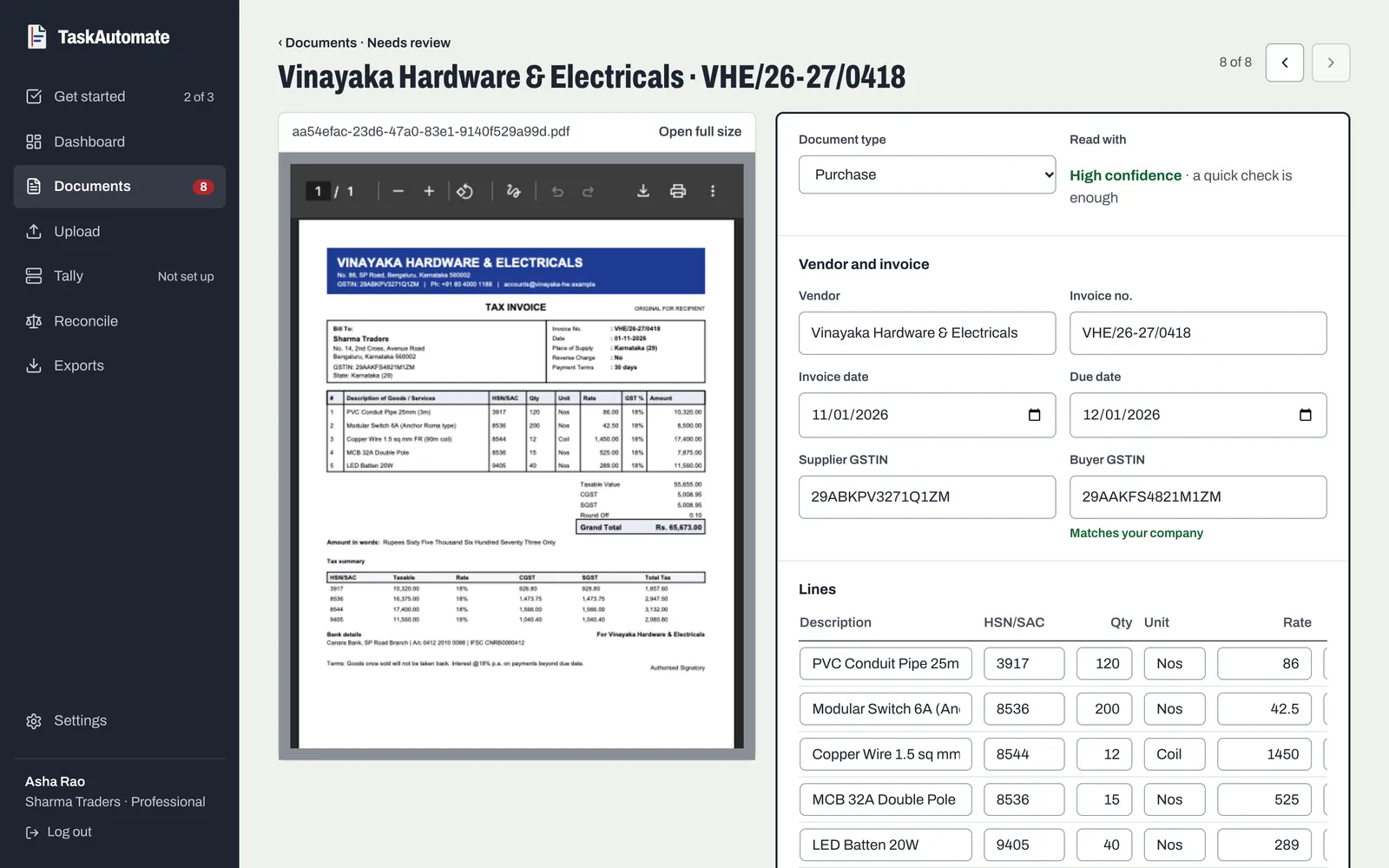
What it reads off every bill
Who and when
- Vendor name
- Invoice number
- Invoice date
- Due date
- Currency
GST details
- Supplier GSTIN
- Buyer GSTIN
- Vendor PAN
- CGST, SGST and IGST, with their rates
Every line
- Description
- Quantity
- Rate
- Line amount
Totals
- Subtotal before tax
- Total tax
- Grand total
Need something else on every bill, like a PO number or a vehicle number? Add it to a template, for the bill or for each line, and it is read along with the rest.
Then it sorts the bill
Reading the numbers is half the entry. The other half is knowing where they go.
Expense type
Each bill is sorted into one of eleven types, such as travel, telecom, professional fees or hardware and supplies. That type decides the ledger it posts to, so there is no mapping table to keep.
Voucher type
A supplier’s credit bill becomes a purchase voucher; a cash memo or an electricity bill becomes a payment voucher.
A confidence score
Shown when you open the bill to review it, so you know whether to check every field or glance and approve.
Crumpled, faded, handwritten. Send it anyway.
Printed bills, handwritten kirana bills, thermal receipts and multi-page PDFs are all read the same way. The worse the photo, the lower the confidence score, so you know where to look.
The rest of the flow
Each part does one job. Together they take a bill from a phone to a posted voucher.